Logic Pro plug-in · free iPad app
LIVE-IN
Your live show, on the music stand. Export your show from Logic as one MIDI file, and the iPad shows where you are, what's coming next, when to hold, readable in half a second. Even when you play in free time.
Only here Your Quad Cortex, on the iPad →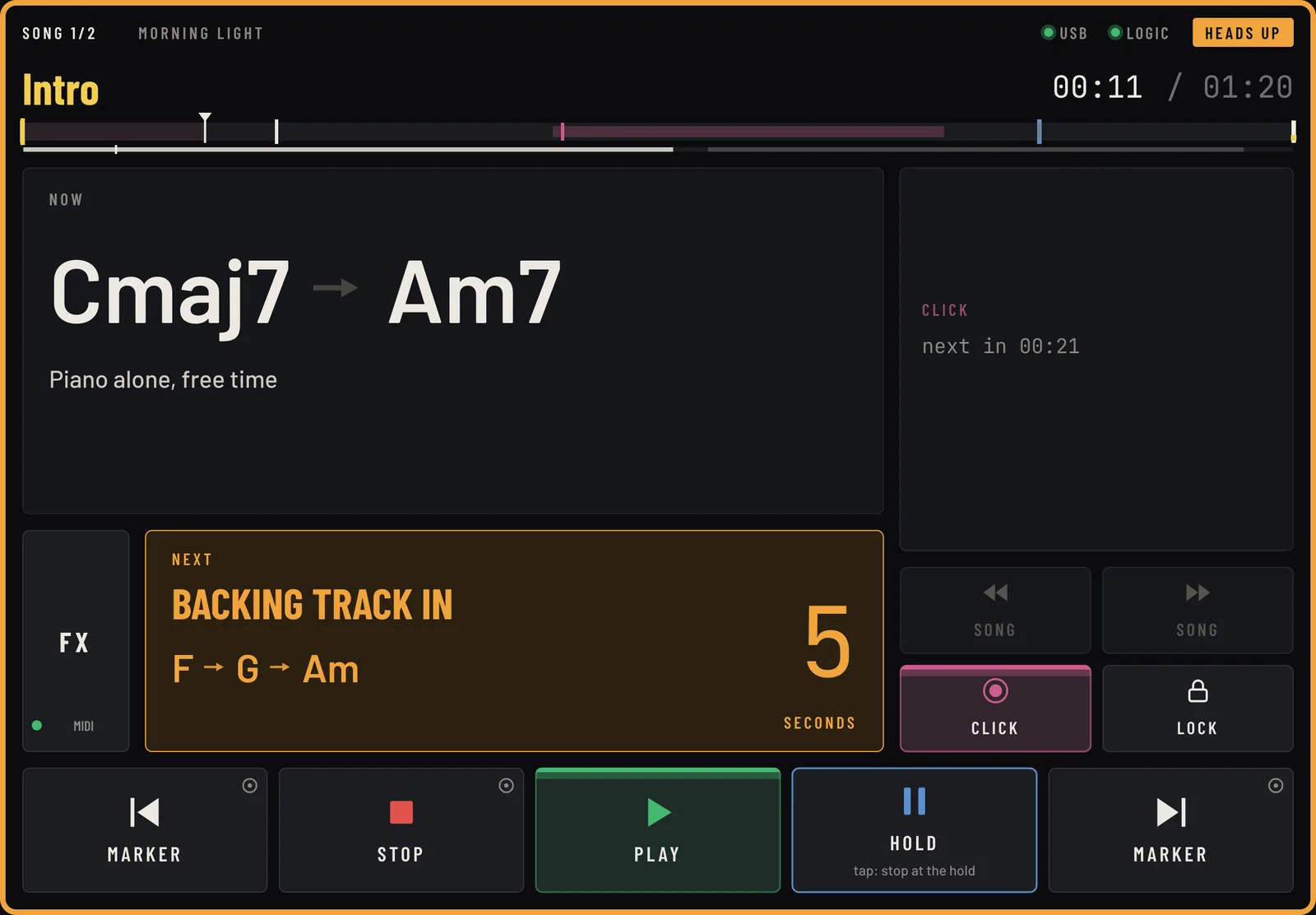
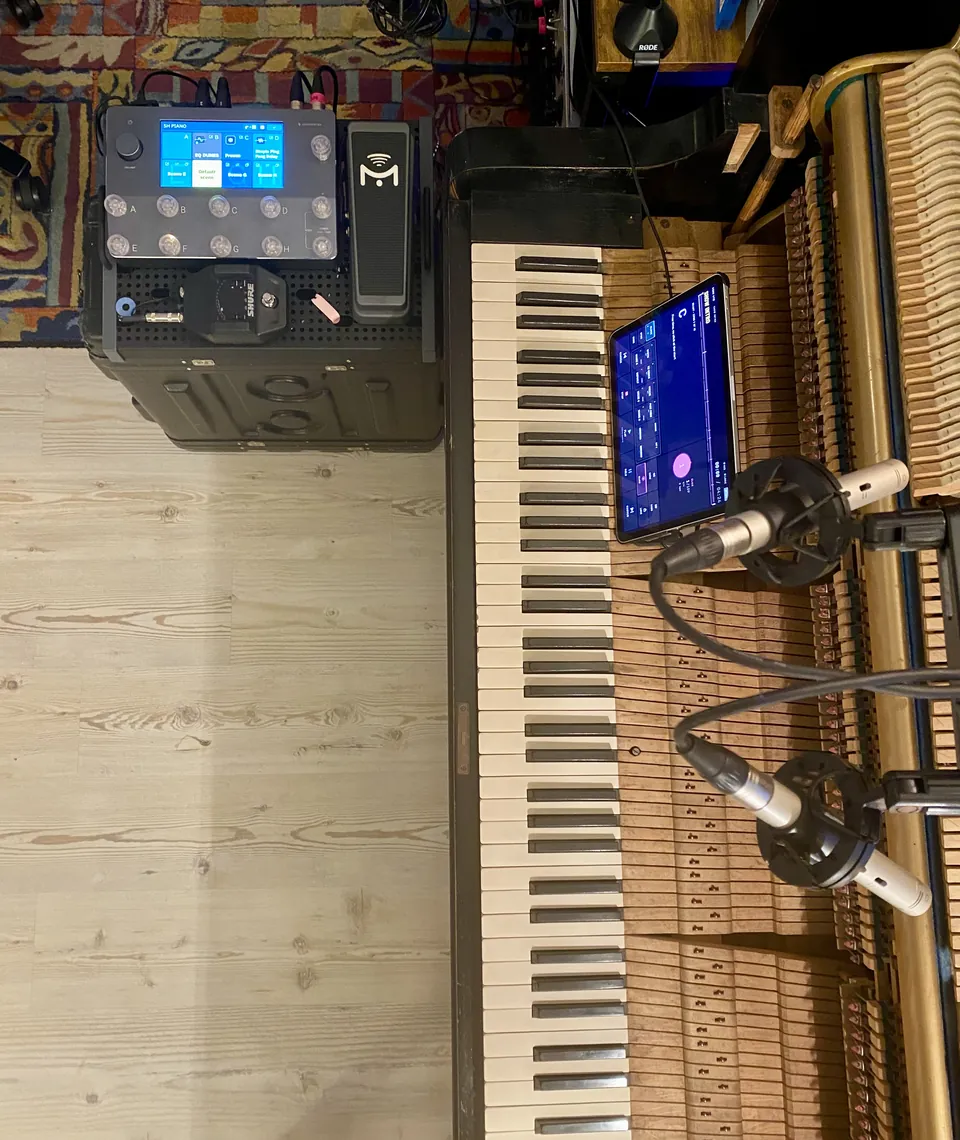
One iPad, three rooms
Not just for the stage.
Anywhere someone plays along with your Logic session and needs to know where they are.
Play over a backing track
Piano, synths, a backing track, and nobody to tell you what's next. The iPad on the music stand does: section, chords, heads-ups, holds, the click in your headphones.
Record with a player in the booth
The player sees what you see in the control room: the section, the chords, the bars to the next change, the click. No more “from the second chorus, after the 5/4 bar” on the talkback. Turn on LOCK and the keys stay off.
Study with a teacher, or alone
Put the iPad on the stand and play the arrangement with the form, the chords and the odd bars in front of you, and a click that breathes with the recording. HOLD stops at the bar you want to repeat.
Only in LIVE-IN · Quad Cortex
Your Quad Cortex, on the music stand.
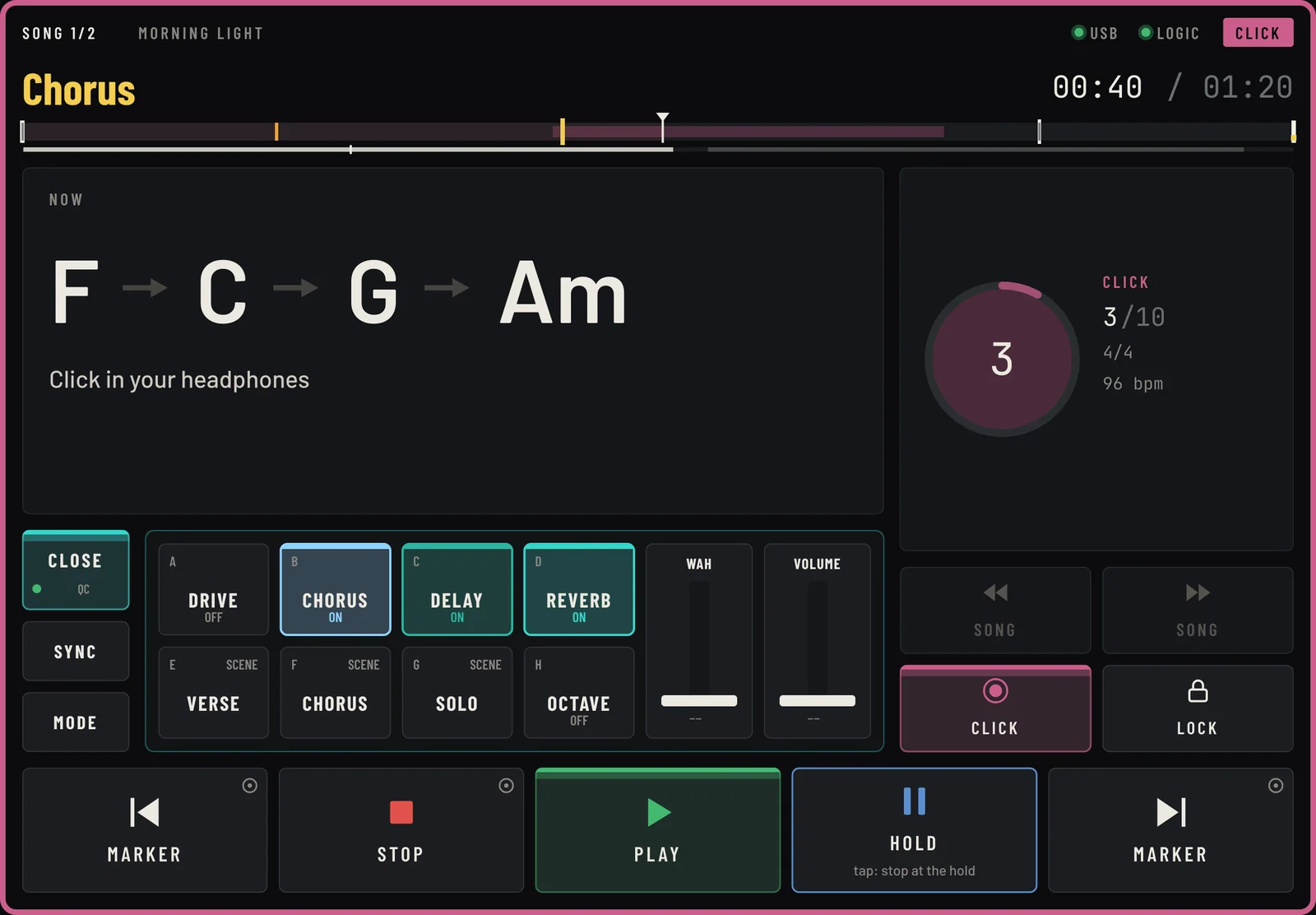
Can't reach the footswitches while both hands are on the keys? One tap on FX and the iPad becomes your Quad Cortex, right next to the chords. Ready-made and tested on the unit: no MIDI charts, no programming.
- Eight footswitches, A to H: blocks on and off, named and coloured like your preset.
- Scenes: jump to scene A–H with one tap.
- Two expression faders: wah, volume, anything you map to Expression 1 and 2.
- CHANGE MODE: Preset, Scene, Stomp, in turn, like on the unit.
- Saved with each Logic project. Open another show and its setup follows. It never touches Logic's transport.
Other units, one at a time
Fractal, Line 6 Helix, Kemper and others will come, calmly: LIVE-IN is made by one person, and every profile is tested on the real unit before it ships. Tell us which one you play: info@simplethingsweuse.com.
Any MIDI gear, today
Until then, the Generic MIDI profile drives any unit with a MIDI chart, or Logic itself: each slot a toggle, a selector or a trigger (CC, note or program change), each fader a CC.
Quad Cortex and Neural DSP are trademarks of Neural DSP Technologies Oy. Fractal Audio, Line 6, Helix and Kemper are trademarks of their respective owners. LIVE-IN is an independent product, not affiliated with or endorsed by them.
How it works
Your show, in one MIDI file.
Apple doesn't let plug-ins look inside a Logic project. So you export your show from Logic as one MIDI file (markers, click and chords), and LIVE-IN reads it. No cue list to type twice: what's in your session is what you export.
Live from Logic, only what a plug-in gets anyway: where the playhead is, Play and Stop.
Mark it in Logic
Put markers where things happen. 1M1_Title starts a song, END ends it, every other marker is a section. Add a click track and a chord track if you have them.
Export, then import
Select the click and chord tracks, File › Export › Selection as MIDI File (the markers come along), and open that file in LIVE-IN. Add a note, a heads-up or a hold on any marker. Changed something in Logic? Export again over the same file and press Reload MIDI: what you wrote stays.
Play
Plug the iPad in by USB and open the free LIVE-IN Screen app. It follows Logic's playhead: section, chords, what's next, the click, the holds.
The free iPad app
LIVE-IN Screen.
What you see on the music stand, moment by moment. These are real screens from the Demo Show.
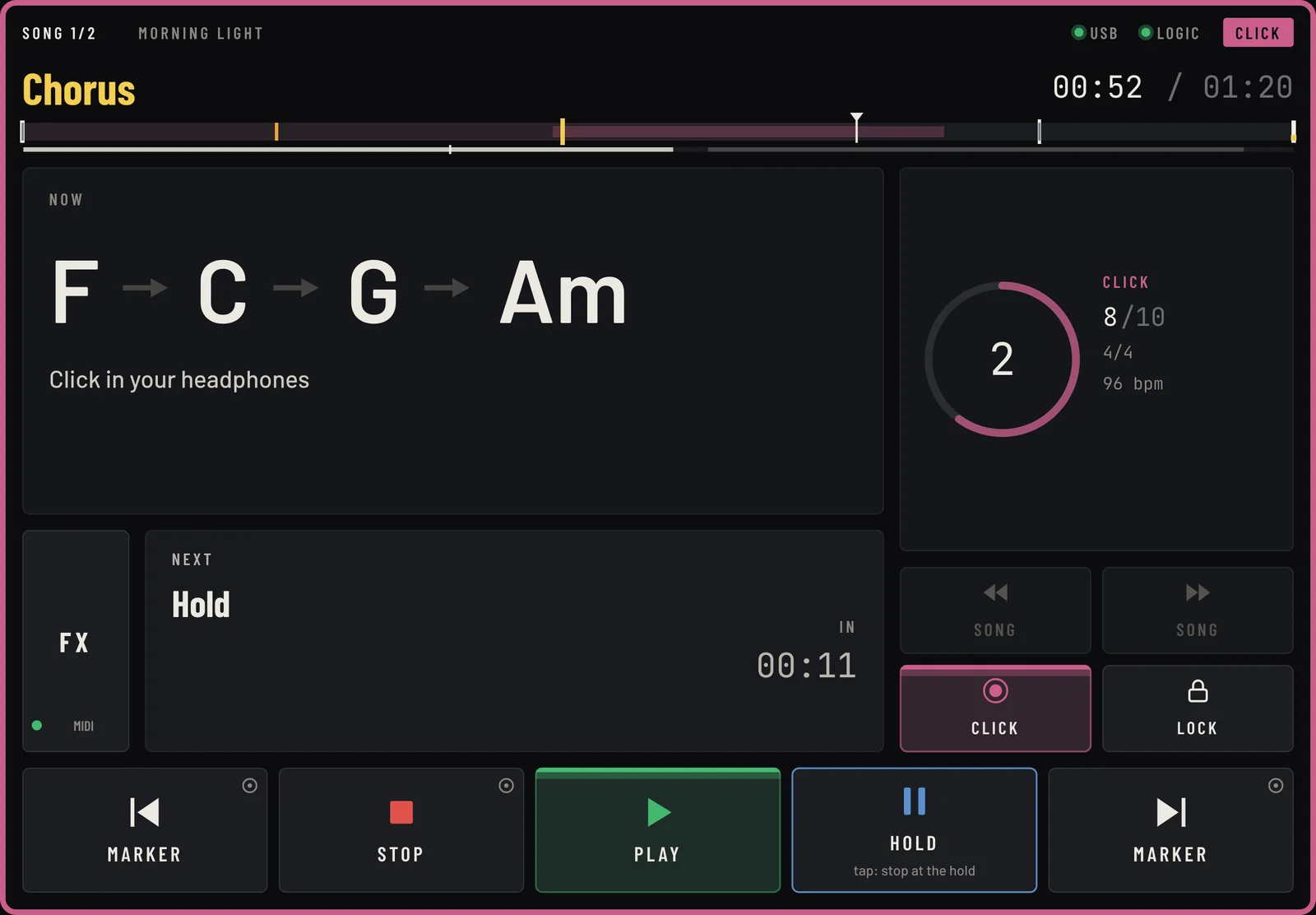
The click. Beat by beat, with the bar count and the tempo. What comes next, and when.

The plug-in in Logic
Set it up once, in one window.
LIVE-IN sits on a track of your Logic project and keeps everything there, saved with the song.
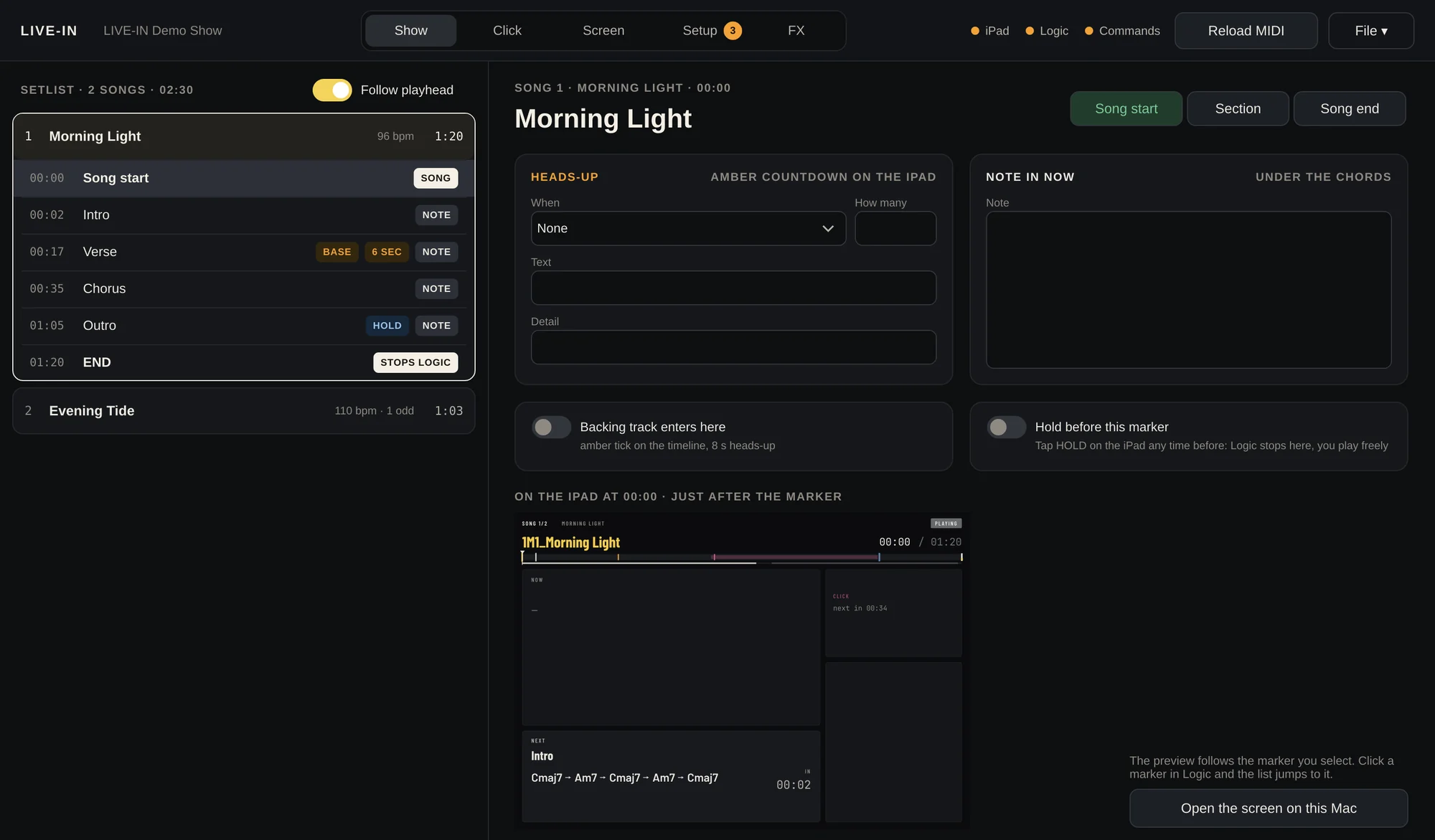
Show. The setlist, from the markers in your MIDI file. Pick one to add a note, a heads-up or a hold, and see the iPad preview right there.
Free time welcome
Two ways to give LIVE-IN the beat.
Your own click track
Record a click by hand on a track, the way you really play: rubato, ritardando, a 5/4 bar in the middle. LIVE-IN follows you, finds the odd bars by itself and plays your click in your headphones.
Logic's tempo map
No click to record: LIVE-IN uses Logic's tempo map and time signatures, exported with the MIDI file. Steady, on the grid. Switch between the two any time.
On stage
Everything you need to glance at. Nothing else.
- Where you are: song, section, bar, and the chords of this section, the current one lit.
- What's next: the next section and a heads-up before it, your own note on every marker.
- The click in your headphones, from your hand-played track, accent on the downbeat. Never in the room.
- Odd bars announced one bar before: “NEXT BAR 5/4”.
- Holds: tap HOLD during the heads-up and Logic stops on the bar. Play freely, tap RESTART.
- Songs in a set: Logic stops at the end of each song (or KEEP GOING), READY shows the next one.
- Transport keys on the iPad: markers, play, stop, hold, count-in. Long press while playing, so a stray tap never stops a song.
- FX page: your Quad Cortex or any MIDI gear under your fingers: switches, scenes, expression faders. See it
It never stops your music
LIVE-IN only shows. Logic plays, always. Nothing happens on its own, and the trial is never checked during a show.
Wired, not Wi-Fi
iPad and Mac talk over the USB cable. If it's unplugged, the iPad says so in red and reconnects by itself.
Saved with the project
Your show, notes, click and FX setup live inside the Logic project, with automatic backups.
Start in five minutes
A Demo Show comes with it.
Two short songs in a Logic project, ready to play: sections, chords, a click played by hand with a 5/4 bar, a hold, a backing track. Open it, press Play, watch the iPad. The iPad app has the same show built in: tap TRY THE DEMO, no Mac needed.
What you need
- A Mac with macOS 11 or later, Apple Silicon or Intel
- Logic Pro
- An iPad with iPadOS 16 or later
- The free LIVE-IN Screen app on the App Store
- A USB cable
How it all works, in ten minutes: the manual.
Price
One price. Yours to keep.
- All 1.x updates free, forever
- One licence, two Macs (move it any time)
- Activates once online, then works offline
- The iPad app is free
- 15-day full trial, no card needed
Secure checkout by Lemon Squeezy, our reseller (card, PayPal, Apple Pay). Your licence key arrives by email.
The first 200 pay $19.
You were here first. Use the code FOUNDERS at checkout, and if you like, your name goes on the Founders wall.
Buy as a Founder $19Show it on stage, pay less
Post a story or reel with LIVE-IN on your music stand: $10 off. A review or tutorial, whatever your opinion: a free licence. How it works
Three friends, yours is free
Get your own link: every friend who buys with it earns you $10, paid by Lemon Squeezy. Get your link
Played live with LIVE-IN
Videos from real stages, and the Founders who came first. See the wall
Questions
Good to know.
Why a MIDI file, and not my Logic project directly?
Because Apple doesn't let plug-ins read inside a Logic project. A plug-in only gets the playhead position and Play / Stop from Logic. So the show (markers, click, chords, tempo) travels in a standard MIDI file that you export from Logic in a few seconds. Change something, export again over the same file, press Reload MIDI, and everything you wrote in LIVE-IN stays.
Does it work with other DAWs, or on Windows?
Today LIVE-IN is a plug-in for Logic Pro on the Mac. But the show itself is a standard MIDI file, which every DAW can export: that's what makes other DAWs possible later, one at a time. Tell us which one you use: info@simplethingsweuse.com.
What happens when the trial ends?
The plug-in asks for a licence key, and the iPad says “Trial ended”. Your show stays saved in the project and comes back as soon as you activate. The trial is only checked when a project opens, never during a show.
Does it need the internet?
Only once, to activate the licence. After that, never. On stage, iPad and Mac talk over the USB cable.
Can it start or stop Logic by itself?
No. The iPad keys send commands you assign in Logic, like any MIDI controller, and they need a long press while the music plays. LIVE-IN stops Logic only where you asked it to: at a hold you booked, or at the end of a song (and you can say KEEP GOING).
I play in free time. Does the click still work?
Yes, that's what it was made for. Record your click by hand on a track and LIVE-IN follows it, bar by bar. Or use Logic's tempo map if your show is on the grid.
Which iPad?
Any iPad with iPadOS 16 or later. Bigger is easier to read on a music stand, but a standard iPad works fine.
Can I get a refund?
Please try the full 15-day trial first, in your own setup. If something doesn't work as described, write to info@simplethingsweuse.com and we'll sort it out.
Who's behind it?
Emanuele Frusi, a film and media composer from Italy, who built it for his own concerts. Simple Things We Use is his small brand of tools for musicians.
Bring your show to the stand.
Logic Pro, iPad and iPadOS are trademarks of Apple Inc. Quad Cortex is a trademark of Neural DSP Technologies Oy. LIVE-IN is an independent product, not affiliated with them.